Log in


The Intelligence Trainer has always worked from whatever is in front of you. You find a tag, an author, or a phrase on a story, and you train it from there. That’s fine when the story is right there, but someone on the forum asked a fair question: what if you already know what you want? You’d like every title with “sponsored” in it hidden across all of your sites, and you’d rather not wait for one to show up first. There was no way to do that. Now there is.
Add a classifier
Open the Intelligence Trainer and switch to Manage Training. There’s a new panel at the top. Pick what to match (title, author, tag, text, or URL), type the phrase, choose where it applies, pick Like, Dislike, or Hide, and press Add. It saves right away, the new classifier lights up in its section below, and the field clears so you can type the next one.

Enter in the phrase field does the same thing as Add, and the little ↵ on the button reminds you while you type. Your choices stick between adds, so putting a dozen tags into the same folder is just type, Enter, type, Enter.
The same panel sits at the top of the site and story trainers, and on every Site by Site page. There it starts on the site you’re training, or on the folder you were reading if you opened the trainer from a folder. The new classifier shows up trained in its section right away, and the stories behind the dialog are rescored before you even close it.
Where it applies
Applies to sets the scope: one site, a folder, or all of your sites. It’s a new picker rather than a plain dropdown, so it shows your custom folder icons and each site’s favicon, and it has a search box at the top. With a few hundred subscriptions, typing three letters beats scrolling. While you search, nested folders show the folder they live in, so two folders called “Podcasts” don’t look identical.
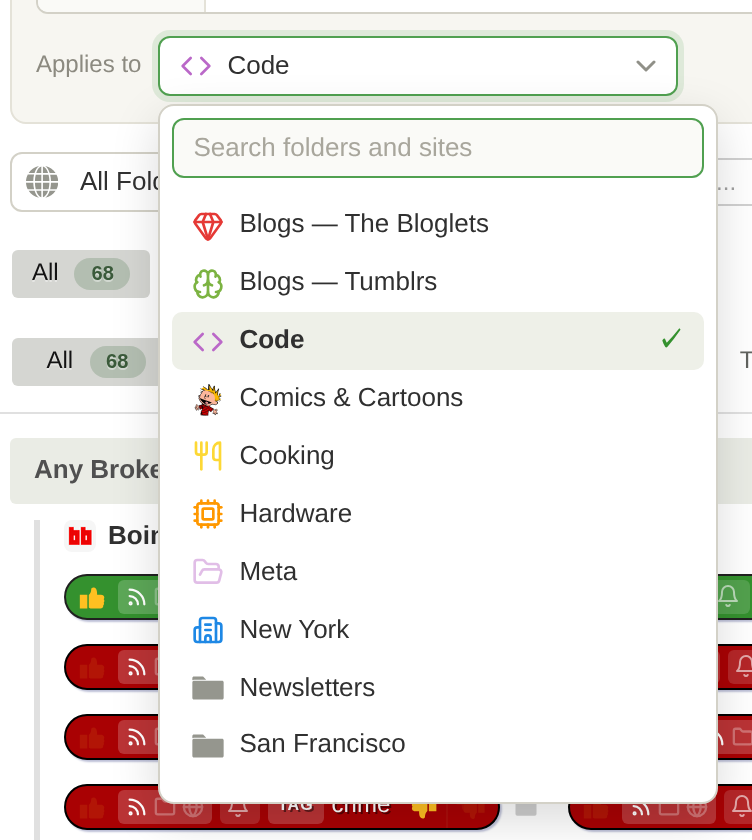
The rules are the same as everywhere else in the trainer. A single site works on every account. Folders and all sites need Premium Archive, and so do text classifiers. URL classifiers need Premium, and regex needs Premium Pro. If you pick something your account doesn’t include, the panel tells you and links to the upgrade instead of letting you save a classifier that won’t do anything.
Regex
Title, author, text, and URL classifiers can be regular expressions. Click the .* at the end of the field to turn it on. The field gets a purple outline and a REGEX badge, the text switches to monospace, and the placeholder changes to an example for that type, so you always know which mode you’re in. Hover the .* and the same regex cheat sheet from the story trainer opens right there. A pattern that doesn’t compile is caught before it can be saved.
![Regex mode in the add panel, hiding titles that start with [Sponsored], with the regex cheat sheet open below](https://blog.newsblur.com/assets/add-classifier-regex.png)
Super Dislike is now Hide
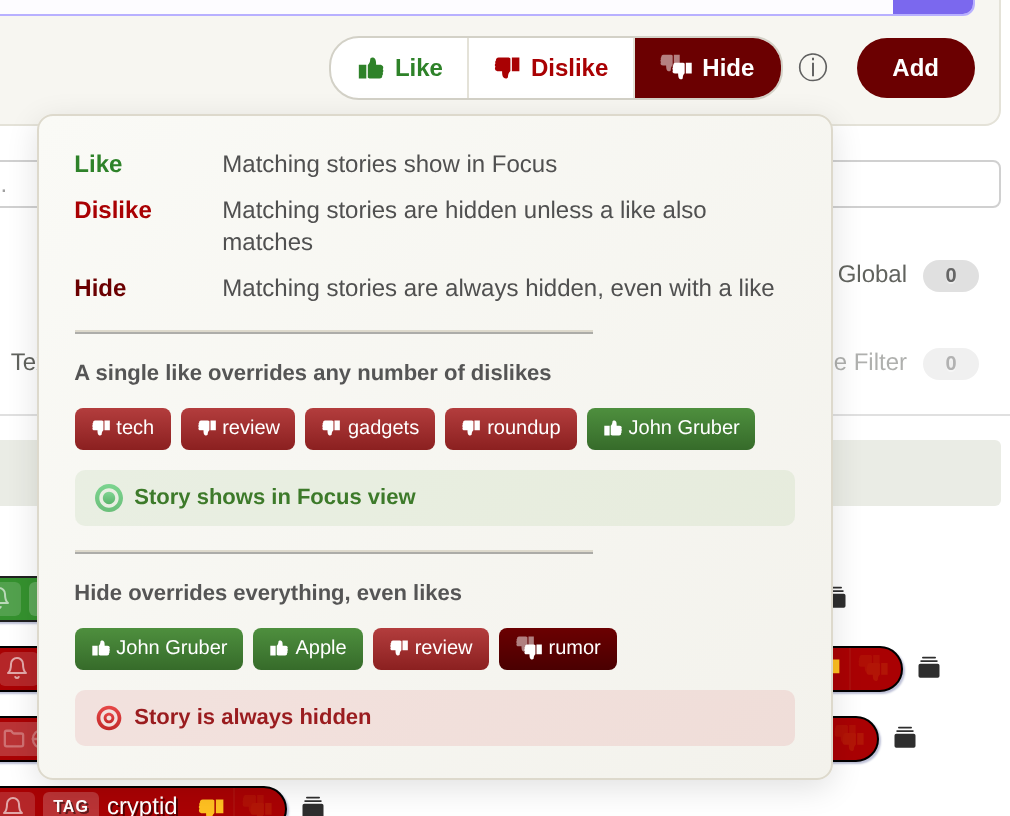
The third training level has been called Super Dislike since it launched, and I never loved the name. It says how strongly you feel, not what it does. What it does is hide the story, every time, even when the story also matches something you like. So it’s called Hide now, everywhere: on the web, on iOS and Mac, and on Android. Nothing about how it works has changed, and every super dislike you already have is a Hide.
If you ever forget how the three fit together, there’s an ⓘ next to them in the panel that lays it out with a couple of examples.
The same picker, everywhere
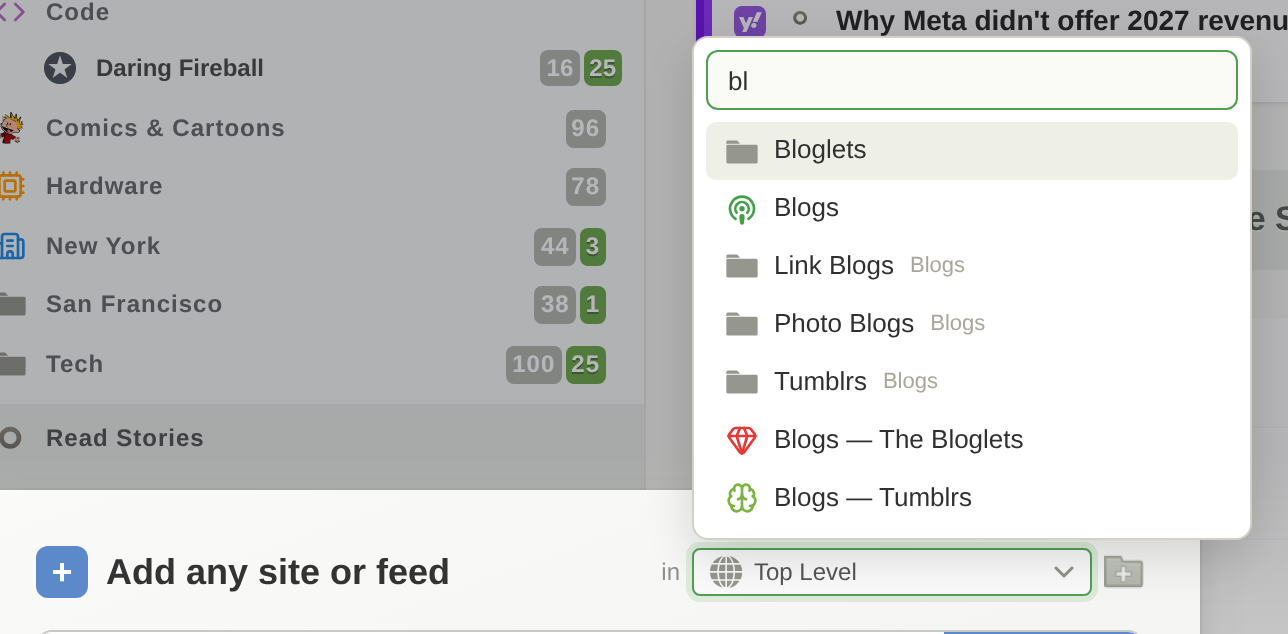
Once the scope picker existed, the plain folder dropdowns all over NewsBlur looked pretty sad next to it. So every folder chooser and every folder and site chooser on the web uses it now: adding a site, Add + Discover, the statistics, site settings, and notifications dialogs, Organize Sites, the default folder in Preferences, dashboard rivers, and the Daily Briefing. They all get the icons, the search, and the keyboard. Arrow keys, Enter, and Escape work the way you’d expect, or just start typing.
A few fixes along the way
- Back to trainer from a matching stories list now takes you back to exactly where you were: the same tab, the same filters, any changes you hadn’t saved yet, and scrolled to the same classifier. It used to drop you on Site by Site every time.
- The View matching stories button sits next to the classifier it belongs to instead of leaning toward the next one, and its tooltip no longer hangs around after you click it.
- In the matching stories banner, Back to trainer no longer squeezes the Train and Notify on controls on a narrow story list.
- Jump to folder in Organize Sites actually jumps to the folder.
Availability
Typing classifiers into Manage Training and the new folder and site picker are available now on the web. Hide is on the web now and comes to iOS, Mac, and Android with their next updates. Thanks to the forum for the nudge on this one. If there’s a classifier you want to type in that the panel can’t handle yet, let me know on the NewsBlur forum.